
Automating Workflow for Business Growth: 7 Strategies to Scale Your Systems

Most businesses do not struggle because of bad ideas. They struggle because manual processes slow down every decision and task. Automating workflow for business growth helps you reduce repetitive work, improve operational efficiency, and scale faster without increasing overhead. You can automate business operations through smarter systems, automated task management, and scalable workflows that support long-term growth.
However, automation alone will not fix disorganized processes. Poor systems simply create faster inefficiencies when automated. That is why you need structured business process automation strategies that improve visibility, consistency, and execution before scaling business systems further.
In this guide, we’ll show you seven practical strategies to build scalable business automation solutions that actually support growth.
Key Takeaways
- Process mapping and standardization: Define workflows first because automating broken systems only scales inefficiency.
- Integration-ready tools: Use tools that connect with your stack because poor integration creates silos and slows growth.
- Customer communication automation: Automate leads and support because delays reduce conversions and hurt trust.
- Centralized collaboration and reporting: Unify work and reporting because scattered systems slow decisions and increase errors.
- AI-driven optimization: Use AI and continuous improvement because static systems decay while adaptive ones prevent bottlenecks.
1. Map and Standardize Your Core Processes
Before you invest in workflow automation for small business operations, you need a clear understanding of how your current systems function. Otherwise, you risk automating inefficiencies that already slow your operations.
To move forward effectively, you must first break down and standardize your core processes before exploring detailed steps like audits and documentation.
Audit Repetitive Business Activities
You should identify tasks that consume significant time, create bottlenecks, or rely heavily on manual input. These activities often deliver the highest return on automation investment because they affect multiple departments and recurring workflows.
Breaking these down clearly helps you prioritize where automation will have the biggest impact, as shown in the table below:
| Business Area | Common Manual Task | Automation Opportunity |
|---|---|---|
| Sales | Lead follow-ups | Automated email sequences |
| Finance | Invoice generation | Recurring billing automation |
| HR | Employee onboarding | Digital onboarding workflows |
| Customer Support | Ticket routing | AI-powered ticket assignment |
| Marketing | Social media posting | Scheduled publishing tools |
Create Documented Workflow Standards
Documented workflows ensure consistency before automation tools take over your operations. Without clear process documentation, automation can easily amplify confusion instead of improving operational efficiency.
Structured steps help you standardize workflows effectively and guide you through the process below:
- Identify workflow owners.
- Define task sequences clearly.
- Document approval requirements.
- Establish deadlines and triggers.
- Test workflows before automation.
2. Implement Smart Workflow Automation Tools
Choosing the right process optimization tools determines whether your automation efforts scale successfully or create unnecessary complexity. However, you should avoid adopting software that does not match your actual operational needs.
Selecting the right platform requires evaluating integration capabilities and comparing different tool types before you move into implementation planning.
Select Automation Platforms That Integrate Easily
Prioritizing tools that connect with your existing systems prevents unnecessary disruption and reduces implementation risk. Additionally, scalable business automation solutions work best when they support gradual rollout across departments.
Evaluating integration strength and core platform features helps you narrow down the right options, including those listed below:
- CRM integrations
- Cloud-based accessibility
- API connectivity
- Real-time reporting
- Cross-platform compatibility
Use Low-Code or No-Code Automation Solutions
Low-code platforms help you automate business operations without relying on large development teams. In addition, these tools speed up implementation while reducing technical barriers across workflows.
The table below compares key platform types so you can choose the right solution for your needs:
| Platform Type | Best Use Case | Typical Cost Range |
|---|---|---|
| No-Code Automation | Basic workflows | $20 to $100/month |
| Low-Code Platforms | Advanced integrations | $100 to $1,000/month |
| Enterprise Automation | Large-scale operations | $2,000+/month |
| AI Workflow Tools | Intelligent automation | Variable pricing |
3. Automate Customer Communication Workflows
Customer-facing automation improves your response speed, consistency, and overall customer satisfaction. It also helps you avoid overwhelming your team as demand increases.
As you build this system, you should focus on structured lead nurturing and streamlined support workflows that keep communication consistent at every stage.
Build Automated Lead Nurturing Systems
You should automate follow-up communication to prevent your leads from going cold. Otherwise, inconsistent responses can quietly cost you valuable revenue opportunities.
Apply the structured workflow below to ensure consistent engagement:
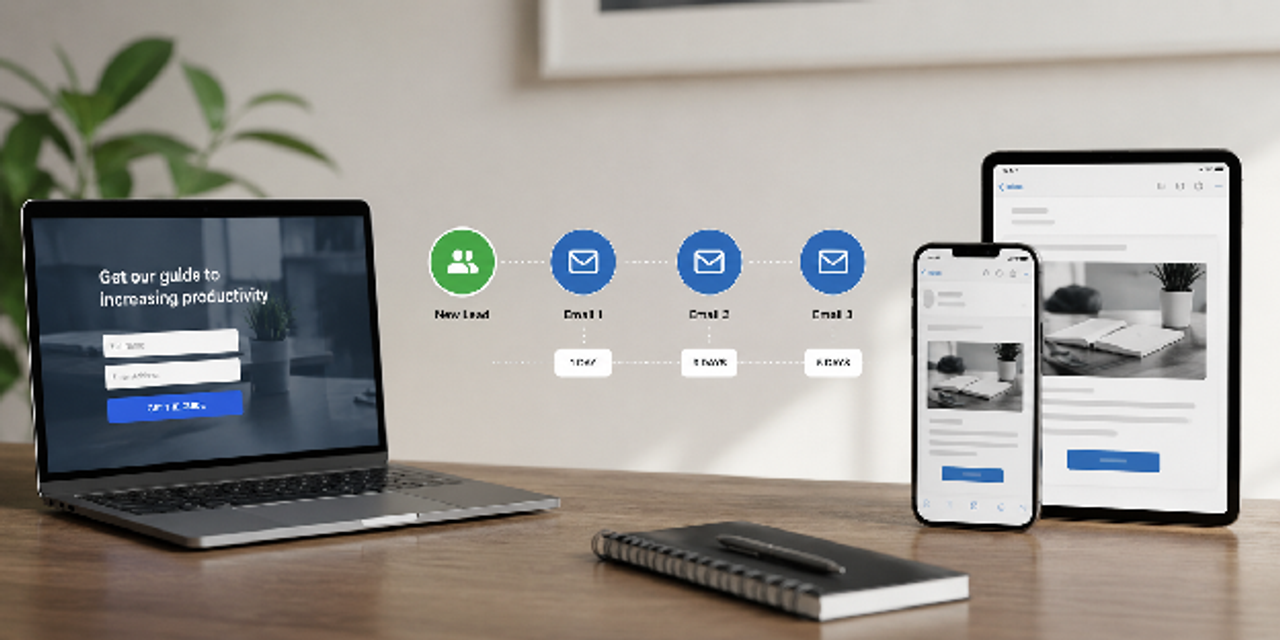
- Capture lead information automatically.
- Assign leads to the correct sales pipeline.
- Trigger personalized email sequences.
- Schedule follow-up reminders.
- Track engagement metrics.
Streamline Customer Support Operations
Support automation allows your team to handle more inquiries without sacrificing service quality. In addition, workflow management systems for business growth often include customer service automation features.
These capabilities work best when broken into core support functions, including the tools listed below:
- AI chatbots, like Tidio or Salesforce, for basic inquiries
- Automated ticket categorization
- Self-service knowledge bases
- SLA monitoring systems
- Customer feedback automation
4. Optimize Internal Team Collaboration
Internal inefficiencies quietly drain your productivity and slow business growth over time. In contrast, automating collaboration workflows reduces delays, communication gaps, and duplicated work.
From here, you can improve coordination even further by centralizing communication and automating onboarding across teams.
Centralize Communication and Task Management
Scattered communication across multiple platforms reduces your team’s efficiency and creates confusion. By comparison, centralized systems improve visibility and simplify automated task management across departments.
Review the common collaboration challenges below to help you identify where automation delivers the most impact:
| Collaboration Challenge | Automation Solution | Business Impact |
|---|---|---|
| Missed deadlines | Automated reminders | Better accountability |
| Duplicate tasks | Shared task boards | Increased efficiency |
| Approval delays | Digital approval routing | Faster decision-making |
| Information silos | Centralized dashboards | Improved transparency |
Tools like Asana and Trello can help you centralize communication, assign tasks, and improve visibility across departments. In addition, their automation features reduce missed deadlines and simplify workflow coordination for growing teams.
Automate Employee Onboarding and Training
Manual onboarding processes consume valuable HR resources and create inconsistent employee experiences across your organization. Meanwhile, automation standardizes training while reducing administrative workload and repetitive manual tasks.
Follow the structured onboarding workflow below to help you create a smoother employee experience and maintain consistency from the beginning:
- Send digital onboarding forms.
- Assign training modules automatically.
- Create user accounts and permissions.
- Schedule orientation sessions.
- Track completion progress.
5. Use Data Automation for Better Decision-Making
Your business generates massive amounts of data, yet manual reporting slows decision-making and increases errors. Data automation tools like Tableau or Power BI improve accuracy and deliver faster insights you can act on.
With this foundation in place, the next focus is building real-time dashboards and automating financial reporting to strengthen decision-making speed and clarity.
Build Real-Time Business Dashboards
A well-designed dashboard helps you focus on the metrics that actually matter for growth, so you can move from guesswork to data-driven decisions.
The metrics below are the key areas you should monitor in your business dashboards:
- Revenue tracking
- Customer acquisition metrics
- Employee productivity data
- Workflow completion rates
- Customer satisfaction scores
Automate Financial Reporting Processes
Financial automation reduces manual errors while accelerating your reporting cycles. At the same time, scaling businesses often struggle with accounting bottlenecks caused by outdated manual processes.
Understanding how automation improves each financial task helps you see its real impact, as outlined in the table below.
| Financial Task | Manual Process Risk | Automation Benefit |
|---|---|---|
| Expense tracking | Missing receipts | Automated categorization |
| Payroll processing | Calculation errors | Accurate payroll cycles |
| Invoice management | Late payments | Faster collections |
| Budget reporting | Delayed insights | Real-time financial visibility |

6. Integrate AI Into Workflow Automation
AI-powered automation goes beyond simple task execution and helps you work smarter at scale. It introduces predictive insights, intelligent routing, and advanced process optimization capabilities that improve how your workflows operate.
Once these systems are in place, you can explore predictive workflow management and AI-driven marketing automation to unlock more intelligent system performance.
Use AI for Predictive Workflow Management
AI systems can identify workflow bottlenecks before they affect performance, helping you shift from reactive fixes to proactive optimization. This creates a more adaptive digital transformation strategy for growing companies.
The steps below show how you can apply predictive workflow management in a structured way:
- Collect workflow performance data.
- Analyze recurring inefficiencies.
- Predict delays or resource shortages.
- Trigger automated adjustments.
- Monitor optimization outcomes.
Automate Content and Marketing Operations
Marketing teams often spend significant time on repetitive production tasks that slow down execution. AI-assisted automation helps you improve speed while maintaining campaign consistency.
These capabilities become clearer when you break them into practical content and marketing automation areas listed below:
- AI-generated email drafts
- Automated ad scheduling
- SEO reporting automation
- Social media content calendars
- Audience segmentation workflows
7. Continuously Improve and Scale Automation Systems
Automation is not a one-time project you complete and forget. Instead, scaling businesses treat workflow optimization as an ongoing discipline that continuously improves performance.
As you refine your systems, you should focus on tracking key metrics and scaling automation gradually across departments.
Monitor Workflow Performance Metrics
Regularly evaluating automation performance helps you uncover inefficiencies, gaps, and new improvement opportunities before they grow. Gradually, static systems become outdated and reduce overall effectiveness.
Tracking key KPIs gives you a clear picture of system health, as shown in the table below.
| KPI | Why It Matters | Target Outcome |
|---|---|---|
| Task completion time | Measures efficiency | Faster execution |
| Error rates | Tracks quality control | Fewer mistakes |
| Employee productivity | Evaluates resource usage | Higher output |
| Customer response time | Measures service quality | Faster support |
Scale Automation Gradually Across Departments
Rapid automation without operational readiness often creates confusion and resistance across your organization. Scalable business automation solutions work best when you implement them in a phased and controlled way.
The workflow below shows how you can scale automation step by step across departments while keeping stability and adoption strong:
- Automate one high-impact process.
- Measure performance improvements.
- Train affected teams thoroughly.
- Expand to adjacent workflows.
- Standardize across departments.
Summary Table: 7 Strategies to Scale Your Systems
| Strategy | Primary Goal | Key Benefit |
|---|---|---|
| Process Mapping | Standardize workflows | Reduced inefficiencies |
| Smart Automation Tools | Improve system integration | Faster scalability |
| Customer Communication Automation | Increase responsiveness | Better customer experience |
| Team Collaboration Automation | Improve coordination | Higher productivity |
| Data Automation | Enhance decision-making | Real-time insights |
| AI Workflow Integration | Predict and optimize workflows | Smarter operations |
| Continuous Improvement | Sustain long-term growth | Scalable automation systems |
Conclusion
Automating workflow for business growth is ultimately about building systems that remove friction from your daily operations. When you apply structured automation, you shift from scattered processes to coordinated, efficient execution.
With these systems in place, your business operates with fewer bottlenecks, faster decisions, and more consistent output across teams. You also gain clearer visibility into performance, which supports stronger and more confident scaling.
Choose one repetitive workflow in your business and automate it this week using a simple tool. From there, expand gradually into other areas and build momentum step by step.
FAQs
What is workflow automation for small businesses?
Workflow automation for small businesses uses software to handle repetitive tasks automatically. This improves productivity, reduces errors, and saves operational costs.
How does automating workflow for business growth improve efficiency?
Automation removes manual bottlenecks, speeds up task completion, and standardizes processes. This increases operational efficiency across departments.
What are the best business process automation strategies?
The best business process automation strategies focus on repetitive tasks, scalable systems, employee adoption, and measurable performance improvements.
Which departments benefit most from workflow automation?
Sales, marketing, customer service, HR, and finance typically see the fastest gains from workflow automation systems for business growth.
How much do scalable business automation solutions cost?
Costs vary widely depending on complexity. Small businesses may spend $20 to $500 monthly, while enterprise systems can exceed $2,000 monthly.
Can AI improve automated task management?
Yes. AI improves automated task management by predicting delays, prioritizing workflows, and optimizing resource allocation automatically.
What are common mistakes when businesses automate operations?
Common mistakes include automating broken processes, choosing overly complex tools, ignoring employee training, and scaling automation too quickly.