
5 Efficiency Hacks: A Minimalist Mobile Workflow for Busy Professionals

Most professionals carry a powerful computer in their pocket, yet still struggle to get meaningful work done. A mobile workflow for busy professionals like you solves this by removing clutter and standardizing how tasks are captured, prioritized, and executed. In simple terms, it is a lean system that turns your phone into a focused work tool rather than a distraction hub.
Still, many fall into the trap of adding more apps, more tools, and more complexity, which quietly slows everything down. The real shift is not doing more on your phone, but doing less with sharper intent and clearer structure. Once the system is simplified, execution becomes faster and far more consistent.
In this guide, you will learn how to build a minimalist productivity system, design repeatable workflows, manage time effectively, reduce distractions, and automate key tasks. Each step is built to help you create a workflow that runs smoothly without constant effort.
Key Takeaways
- Minimal app stack: Reduce tools to cut decision fatigue and speed up execution.
- Standardized task flow: Follow one process to prevent bottlenecks and ensure consistent output.
- Time blocking: Schedule work intentionally to avoid reactive tasks and protect focus.
- Distraction-free setup: Remove digital noise to lower cognitive load and sustain deep work.
- Simple automation: Automate repetitive tasks to save time and preserve mental energy.
1. Build a Minimalist Productivity System That Eliminates App Overload
A strong minimalist productivity system is built on constraint, not expansion. Most setups fail because they try to cover every edge case instead of optimizing for speed and clarity. When your system has fewer moving parts, you reduce hesitation and increase execution consistency. The goal is to make every action obvious so your brain does not waste energy deciding what to do next.
Next, focus on simplifying your tools and removing anything that slows you down.
Define a Lean App Stack for a Mobile Productivity Workflow
A mobile productivity workflow depends on clearly defined and limited tools. When each app has one role, confusion drops, and actions become faster. As a result, fewer tools help you focus and move through tasks with less effort.
The table below outlines a streamlined app stack that supports clarity and speed:
| Function | Tool Type | Key Outcome |
|---|---|---|
| Capture | Notes app | Instant idea storage |
| Task Management | To-do app | Clear task organization |
| Calendar | Scheduling app | Time-based execution |
| Communication | Email/messaging | Controlled interaction |
| Storage | Cloud storage | Universal file access |
Every extra app adds friction disguised as flexibility.
Eliminate Redundant Tools and Decision Fatigue
Too many tools create small delays that build up over time. Each additional choice forces you to pause, slowing your workflow. By removing overlap, your system becomes clearer and easier to use.
Use the checklist below to simplify and refine your current setup:
- Audit all current apps and categorize their function
- Identify overlaps in features and usage
- Remove or consolidate duplicate tools
- Keep only daily-use, high-value apps
- Re-test your workflow for simplicity
If you hesitate about where to store something, your system is already broken.

2. Design a Mobile Productivity Workflow That Drives Execution
Structure is what turns intention into output. A well-designed mobile productivity workflow ensures that nothing gets stuck between capture and completion. Without a defined process, even simple tasks become mental clutter.
Now, shift your attention to building clear flows and daily patterns that support execution.
Create a Repeatable Task Flow From Capture to Completion
Every task should follow the same clear path from start to finish. This consistency removes guesswork and keeps your focus on action. Over time, repetition builds speed and makes your workflow more reliable.
Follow the steps below to create a frictionless task flow:
- Capture every task immediately in one inbox
- Clarify the exact next action required
- Assign a realistic priority level
- Schedule or batch the task
- Execute during a defined time block
- Mark complete and review outcomes
A repeatable process eliminates hesitation and speeds up execution.
Standardize Daily Workflows for Work-from-Phone Efficiency Tips
Daily routines reduce the need to make constant decisions. When tasks follow a set pattern, your brain uses less effort to stay organized. This leads to more stable output and fewer mistakes during busy hours.
Apply the following methods to create consistent daily workflows:
- Use templates for recurring tasks
- Batch similar tasks together
- Set fixed times for communication
- Limit context switching between apps
- Predefine your daily priorities
Structure reduces stress more than motivation ever will.
3. Master Time Management on Mobile Devices for Better Control
Time is not the issue; poor allocation is. Effective time management on mobile devices requires intentional scheduling and strict boundaries. Otherwise, your day gets fragmented by constant interruptions.
From here, focus on structuring your time and limiting disruptions that break your flow.
Use Time Blocking to Structure Your Day
Time blocking gives each part of your day a clear role. Instead of reacting to tasks, you decide when work happens. This structure helps you stay focused and maintain steady progress.
Use the framework below to structure your schedule effectively.
- Block 60–90 minute deep work sessions
- Schedule communication windows
- Add buffer time between tasks
- Use recurring blocks for routines
- Limit daily focus to three priorities
Unscheduled time gets consumed by low-value tasks.
Reduce Context Switching and Interruptions
Frequent task switching slows your thinking and lowers output quality. Each interruption forces your brain to reset, which wastes time and energy. By reducing these breaks, you can stay focused and work more efficiently.
The table below highlights common distractions and how to address them:
| Distraction Source | Impact on Productivity | Solution |
|---|---|---|
| Notifications | Breaks focus instantly | Disable non-essential alerts |
| App switching | Slows cognitive flow | Batch tasks |
| Multitasking | Reduces output quality | Focus on one task at a time |
| Constant checking | Wastes micro-moments | Set fixed check-in times |
Focus is not built; it is protected.
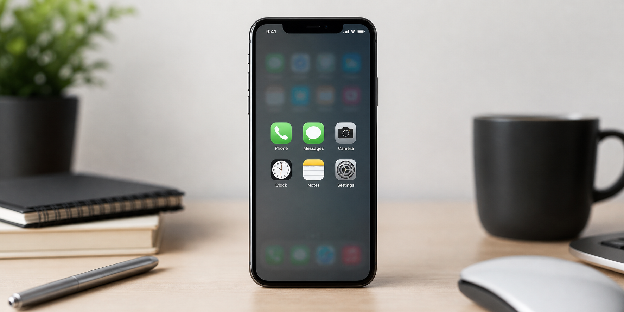
4. Apply Digital Minimalism for Professionals to Reduce Distractions
Distraction is not accidental; it is engineered. Practicing digital minimalism for professionals means taking control of your environment instead of reacting to it. Your phone should support your goals, not compete with them.
At this stage, refine your setup to reduce noise and protect your attention.
Remove Digital Noise That Breaks Focus
Digital noise pulls your attention away from important work. These small interruptions build up and reduce your ability to think clearly. When you remove them, you create space for deeper focus.
Provided below is the list to help you reduce unnecessary digital noise:
- Turn off all non-critical notifications
- Remove social apps from your home screen
- Use grayscale mode during work hours
- Set strict app usage limits
- Enable focus or do-not-disturb modes
Attention is your most valuable and most exploited resource.
Design a Distraction-Resistant Mobile Environment
Your phone setup shapes how you behave during work. A clean layout makes it easier to choose productive actions. This structure reduces reliance on willpower and supports consistent focus.
Follow the steps below to build a distraction-resistant setup:
- Keep only essential apps visible
- Organize apps by function, not frequency
- Use widgets for quick access to key tools
- Separate work and personal apps
- Regularly review and adjust layout
Make distractions harder to access than productive tools.
5. Automate Key Tasks to Strengthen Your Mobile Workflow
Automation is not optional if you want to scale efficiency. It removes repetitive decisions and frees up cognitive bandwidth. A well-optimized system uses automation to handle predictable actions.
Finally, look at where automation can reduce manual work and improve consistency.
Identify High-Impact Automation Opportunities
Not all tasks should be automated, so focus on actions that repeat often. These tasks follow clear rules, which makes them easy to automate. By targeting them, you save time without adding complexity.
The table below shows practical automation opportunities and their benefits:
| Automation Type | Example Use Case | Benefit |
|---|---|---|
| Email filters | Auto-sort incoming emails | Cleaner inbox |
| Task triggers | Convert emails into tasks | Faster task capture |
| Calendar automation | Auto-schedule meetings | Reduced back-and-forth |
| File handling | Auto-save attachments | Organized storage |
| Reminders | Location-based alerts | Timely execution |
Automate repetitive thinking before repetitive actions.
Implement Simple Work-from-Phone Efficiency Tips With Automation
Simple automations are easier to manage and more reliable over time. Complex setups often break, which creates more work instead of saving time. Starting small helps you build a stable and useful system.
Follow the steps below to implement simple and effective automations:
- Set up basic email rules
- Link the task manager with email
- Use calendar scheduling tools
- Automate file storage workflows
- Test and refine regularly
If automation needs constant fixing, it is not worth keeping.
Summary Table: Minimalist Mobile Workflow for Busy Professionals
| Area | Key Focus | Outcome |
|---|---|---|
| App Stack | Fewer, focused tools | Reduced decision fatigue |
| Workflow Structure | Repeatable process | Faster execution |
| Time Management | Calendar-based planning | Better control of time |
| Digital Minimalism | Fewer distractions | Increased focus |
| Automation | Eliminate repetitive tasks | More time for meaningful work |
| Weekly Review | System maintenance | Long-term consistency |
Conclusion
A well-designed mobile workflow for busy professionals removes friction and makes execution feel natural. When your system is clear and minimal, your phone becomes a tool for focused work instead of constant distraction. This shift allows you to complete important tasks faster without feeling overwhelmed.
Productivity improves when you stop adding more tools and start refining how you work. Simplicity creates clarity, and clarity leads to consistent action over time. With the right structure, your workflow supports you automatically instead of requiring constant adjustments.
Focus on removing one source of friction today and refining one part of your system. Small, deliberate changes build a workflow that stays effective even as your workload grows.
Frequently Asked Questions
What is a mobile workflow for busy professionals?
A mobile workflow is a structured system that allows you to manage tasks, communication, and scheduling efficiently from your smartphone.
How do I improve work-from-phone efficiency?
Focus on reducing apps, using a clear workflow, scheduling tasks, and minimizing distractions to improve efficiency.
What are the best apps for a minimalist productivity system?
The best apps are those that handle notes, tasks, calendar, communication, and storage without overlap or redundancy.
How can I avoid distractions on my phone while working?
Disable notifications, use focus modes, and remove non-essential apps from your home screen.
Why is digital minimalism important for professionals?
It helps reduce cognitive overload, improves focus, and allows you to prioritize meaningful work.
Can automation really improve mobile productivity?
Yes, automation reduces repetitive tasks, saving time and allowing you to focus on higher-value activities.
How often should I review my mobile productivity system?
You should conduct a weekly review to keep your system organized, relevant, and effective.